01
Save your ideas
Add your own date idea or pick one from the inspiration catalogue. Keep everything you want to do together on one list.

Your next date starts with an idea
Save your date ideas and each give them a rating. See what you both want to do, pick a favourite and set a date. Afterwards, save the memory.
See how it worksA rating from each of you.
Choose what to do together.
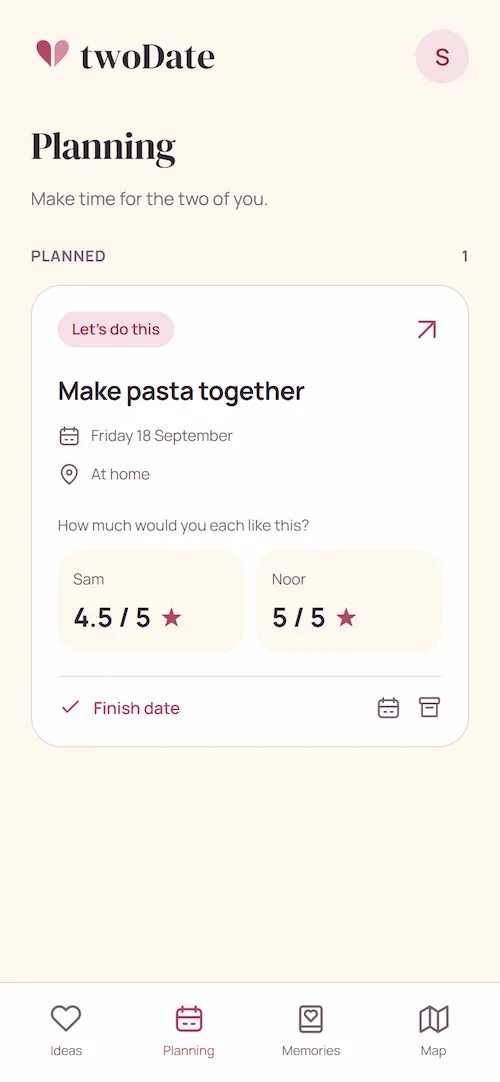
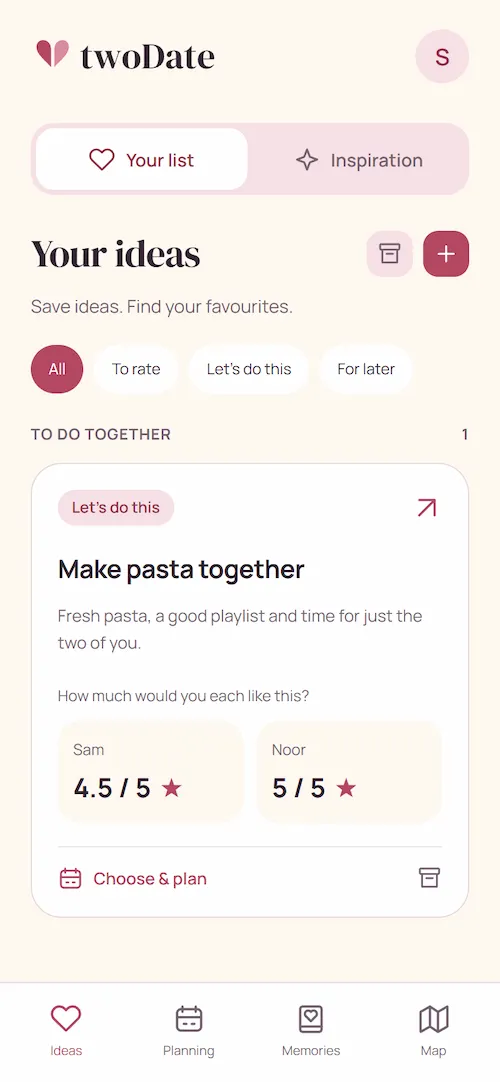
How twoDate works
A restaurant you want to try, or making pasta together.
Save the idea and find out how much you both want to try it.
Add your own date idea or pick one from the inspiration catalogue. Keep everything you want to do together on one list.
Each give the idea a star rating. Compare your scores and choose something you both want to do.
Set a date for the idea you chose. See it in your schedule and move it if another day works better.
After your date, add photos, a note and a rating of your experience. You can come back to the memory together later.
Your ideas, ratings and schedule
Use your ratings to choose a date, add it to your schedule and save the memory afterwards.
Save your ideas and each rate how much you want to try them. With both scores side by side, you can spot the ideas you both love.
Pick an idea you both want to try and schedule your date. You'll see when it's coming up in your shared plans.
Add photos and a note after your date. Each rate the experience and look back on it together later.
Add a location to your memory to see where your dates took you on the map.
Illustrative examples. Fill the app with your own ideas, ratings and dates.
Together in one app
Connect your accounts with an invitation code. Then you can both add and rate ideas, plan dates and save memories.
FAQ
Get started with saving ideas, rating them and choosing together.
All frequently asked questionsYou and your partner. Save date ideas and each rate how much you want to try them. Pick a favourite together, schedule your date and save the memory afterwards.
Create your own accounts. One of you shares their personal invitation code and the other enters it in the app. Add your first idea and each give it a rating, then choose a date together.
Each of you gives an idea a score from 0 to 5 stars, in half-star steps, to show how much you want to try it. The app displays both scores and a shared label. Compare your ratings to find what you both want to do. You decide which date to plan.
Yes. Save an idea with a title, description and an optional photo. You can also add an idea from the inspiration catalogue to your list.

From idea to date
Download twoDate, invite your partner and use your ratings to choose which date to plan.